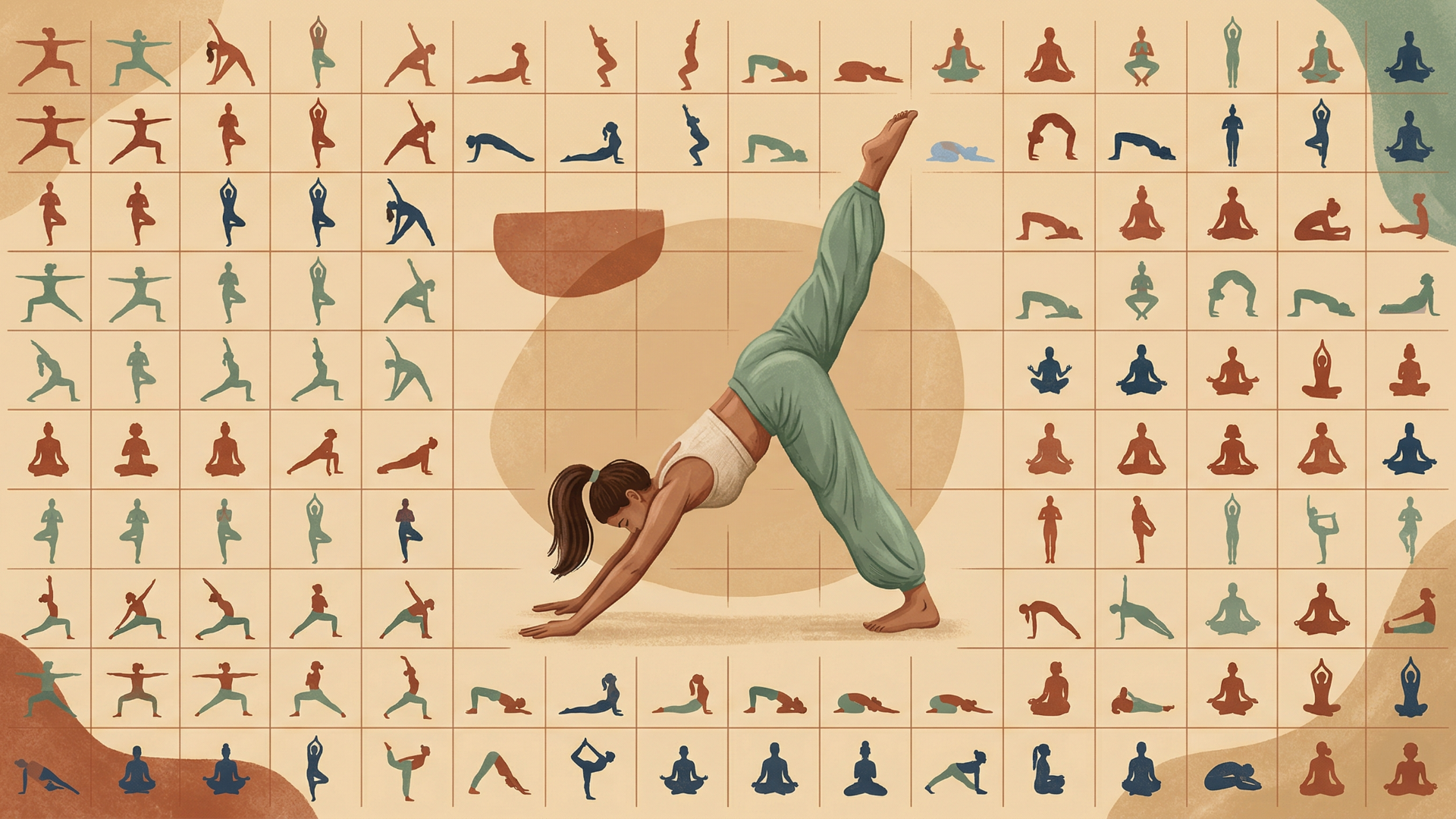
When I started building Yogakosh, I didn't just need a few pictures;I needed a scalable visual system. As a solo builder, I had to solve two very different problems using AI:
- The "Static" Problem: Generating 100+ individual pose illustrations (the building blocks).
- The "Dynamic" Problem: Creating unique cover art for 100+ yoga sequences that reflected specific metadata like duration, style, and focus.
Here’s how I tackled both without a design team.
Phase 1: The Anatomy of a Pose (The Static Problem)
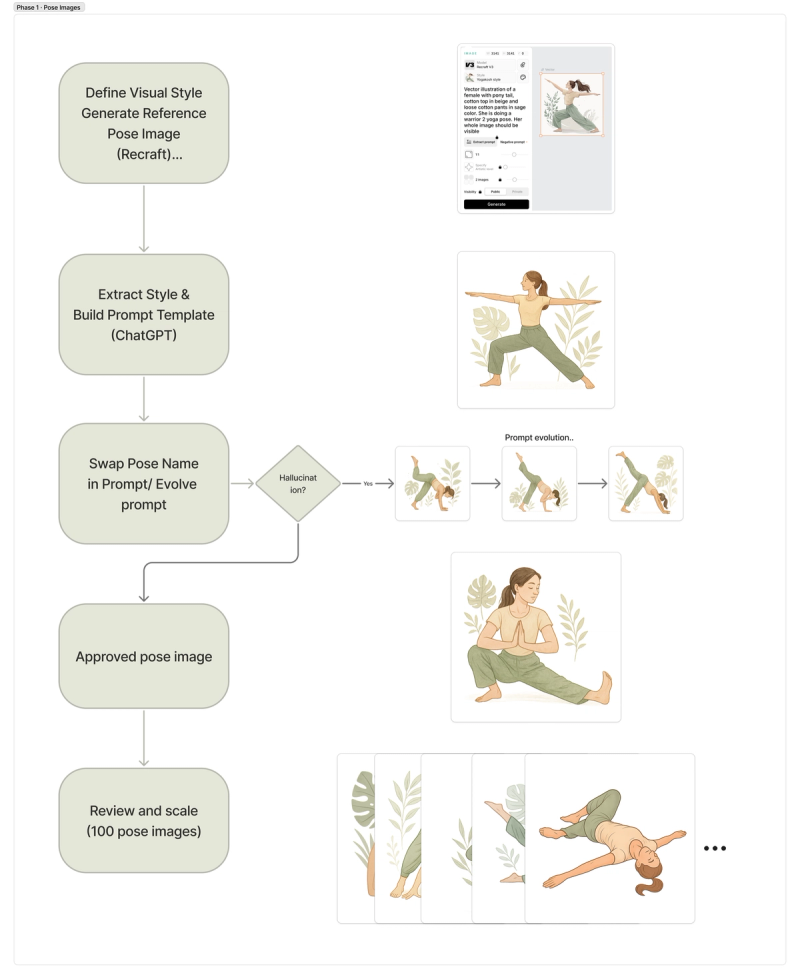
In early 2025, the AI landscape was different. I started with Recraft.ai to establish a visual style. While it helped define the "look," it didn't quite understand the nuances of a “warrior 2” pose as shown below.
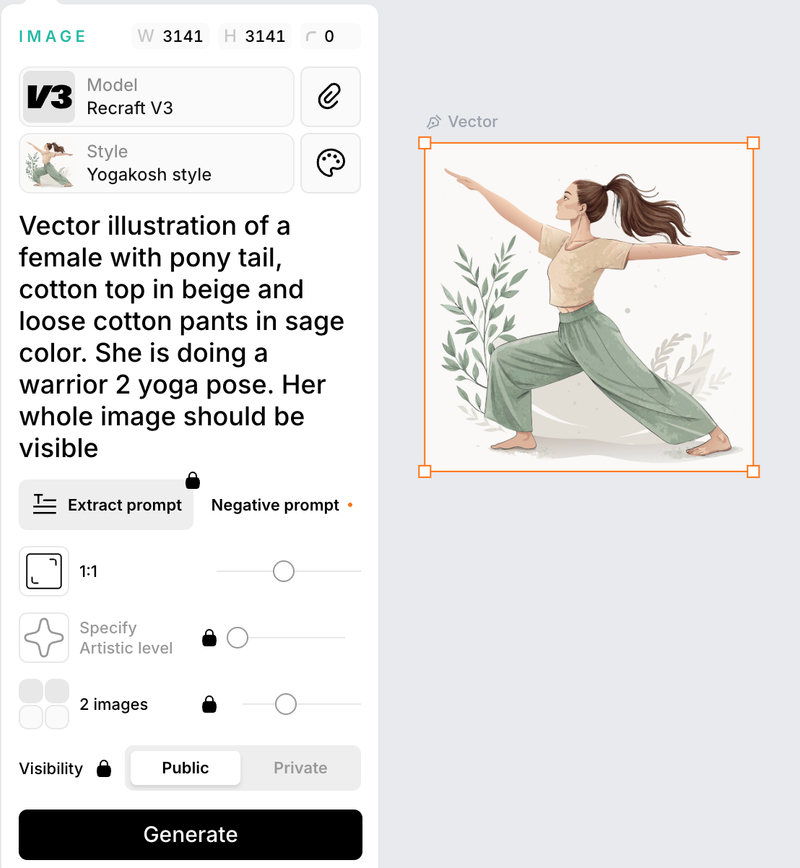
Individual yoga poses—like Warrior II or Tree Pose—are "known" entities. They are widely available on the internet, which gave the AI a solid reference point.
However, "common" didn't mean "easy."
- The Hallucination Wall: While the AI understood the basics, complex poses often resulted in "anatomical creativity"—three hands sprouting from a shoulder or legs bending in impossible directions.
- The Workflow: I used DALL·E for the heavy lifting and Recraft.ai to maintain style consistency and remove backgrounds.
- The PM Pivot: Instead of forcing AI to handle every edge case, I made a product decision: prioritize high-confidence poses and let audio instructions handle nuance. This reduced visual complexity, improved consistency, and allowed me to ship faster without compromising user experience.
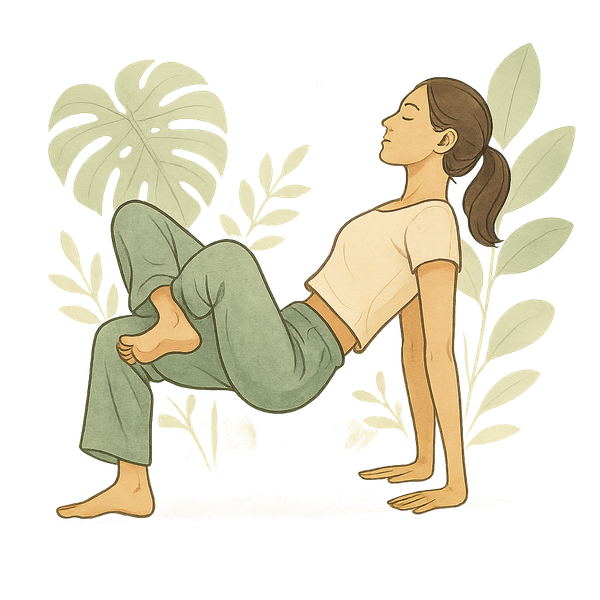
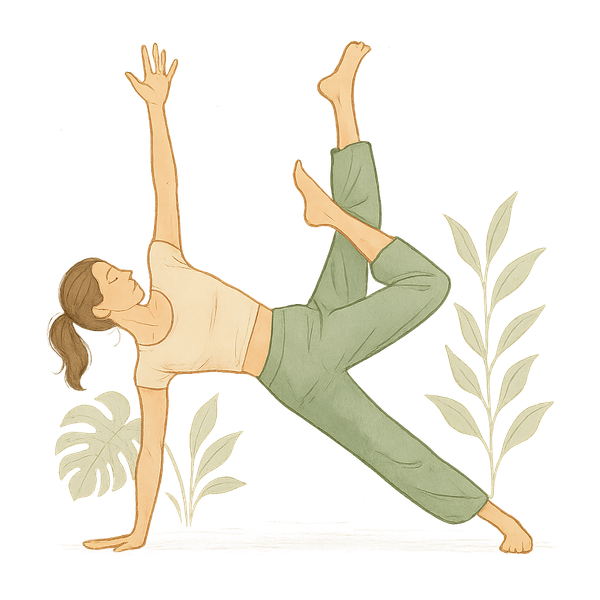
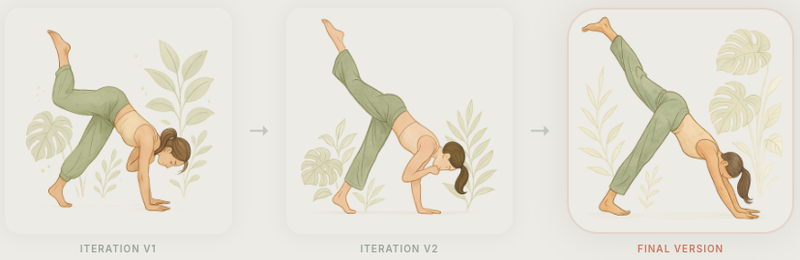
Below is an example of prompt evolution for “three legged downward facing dog”, it required multiple iterations to reach anatomical accuracy
Iteration V1→Iteration V2→Final Version
Summary
This workflow allowed me to move from prompt experimentation to a repeatable system where each new pose required minimal manual intervention.
Phase 2: Scaling Cover Art for 100+ Sequences (The Dynamic Problem)
While poses are generic, a yoga sequence is specific. A sequence is a curated series of poses designed for a particular goal. The cover image for a sequence isn't just a picture of a person; it has to communicate the "DNA" of that specific flow.
The first version of the app had about 10 sequences. I could handle those manually. But as the library grew to 100+, the manual approach became a bottleneck.
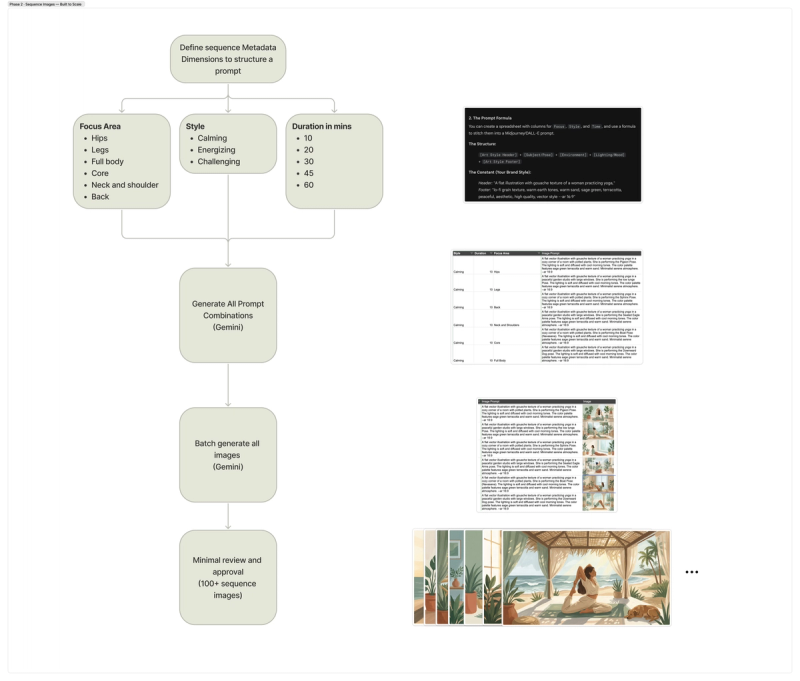
Each sequence cover needed to reflect three distinct variables:
- Duration: How much time the user is committing.
- Style: Is it Calming, Energizing, or Challenging?
- Focus Area: Hips, legs, back, core, or full body.
Phase 3: The Prompt Engine
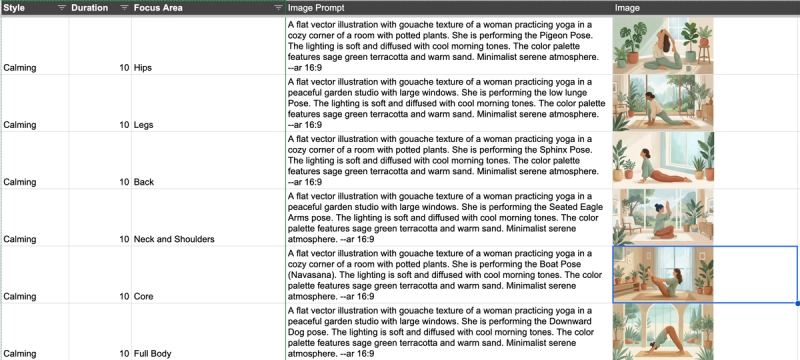
To solve this at scale, I moved away from manual "guessing" and worked with Gemini to build a programmatic approach.
I needed the images to shift based on the metadata. A "Calming" sequence for "Hips" needed a different atmospheric vibe than an "Intense" "Core" flow. I translated product metadata into visual rules:
- Style → lighting, color palette
- Focus area → primary pose selection
- Duration → composition density
This allowed me to generate prompts programmatically instead of manually crafting each one.
- The Logic: The prompts described the background atmosphere (calming vs. intense) and the yoga pose based on the focus area.
- The Execution: I generated these in batches from the spreadsheet. It allowed me to review them for quality, clean and standardize outputs while saving hundreds of hours of manual prompt-tuning.
Summary
This workflow allowed me to design a scalable system right from the start, saving weeks worth of work.
Results
- ~ 100 pose illustrations generated
- ~150+ yoga sequence cover generated programmatically
- Reduced asset creation time from ~15-30 min/image → batch generation + review
Key Tradeoffs
- Accuracy vs Coverage → chose high-confidence poses
- Control vs Speed → moved to batch generation
- Perfect visuals vs Shipping → used audio to handle nuance
The Evolution: From Many Tools to One
Looking back, the process took far longer in early 2025 than it does today. I was constantly jumping between tools to fix backgrounds, styles, and watermarks.
Today, I’ve consolidated my entire workflow—for the app, the website, and marketing— into a single multimodal model (latest generation tools like Nano Banana 2). The models have finally caught up to the vision, allowing for much higher anatomical accuracy and style control in a single stop.
Final Thoughts
AI didn’t eliminate the work of building Yogakosh, but it changed my role. I wasn't a designer; I was a Creative Director and a System Architect. AI didn’t remove the work—it changed the nature of it. I wasn’t designing individual assets anymore. I was designing the system that produced them. By identifying which problems were "generic" and which were "specific," I was able to build a library of 100+ professional sequences that look as good as they feel.