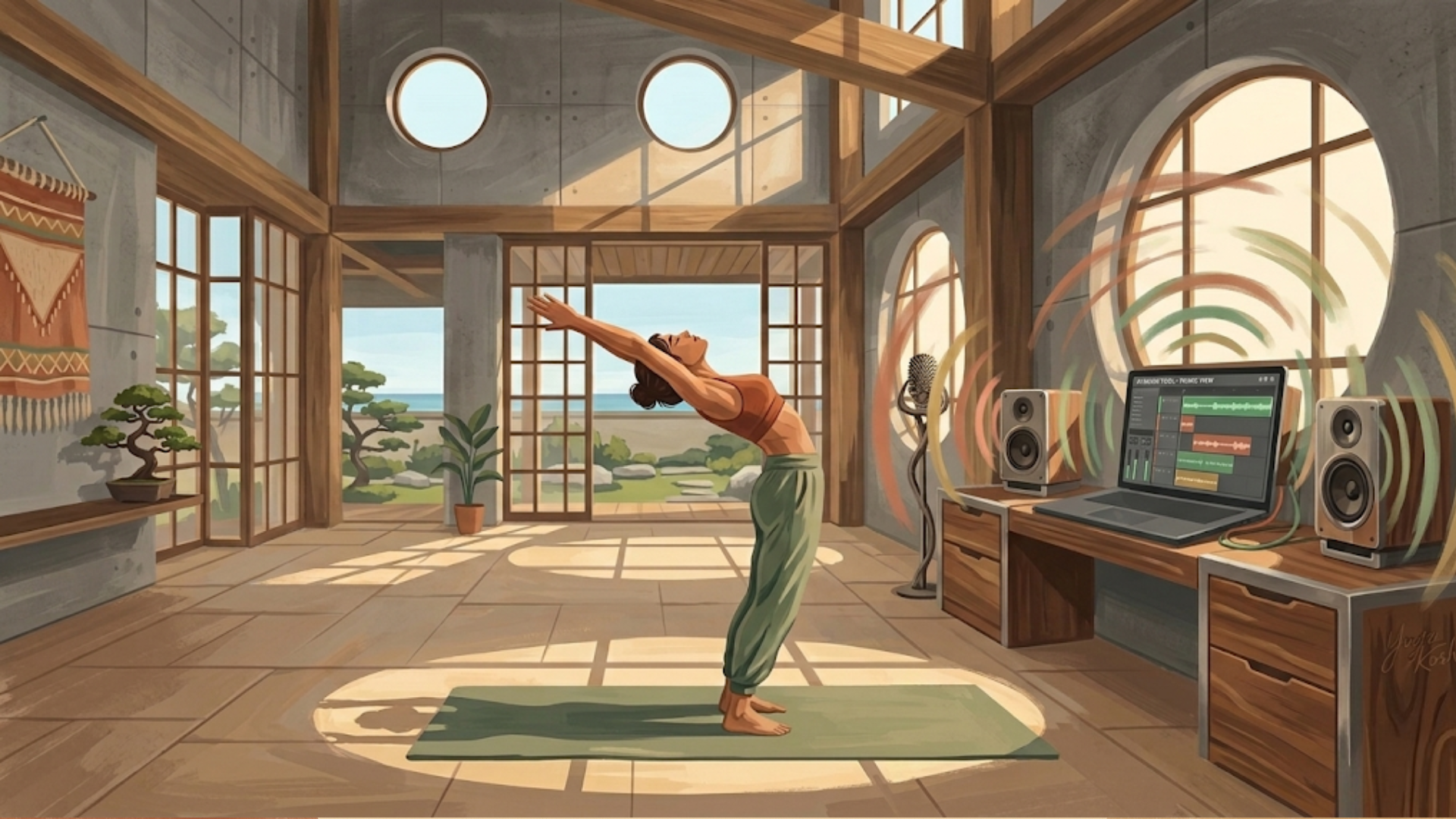
I needed background music for a yoga app. Not a single track—an entire library matched to different practice styles and flow sections. No music production background. No budget for a composer.
What I had was a clear problem and AI tools to solve it.
The first thing I did wasn't open a music generator. It was build a matrix.
Mapping the Matrix Before Writing a Single Prompt
The first thing I had to do was stop thinking about music and start thinking about structure.
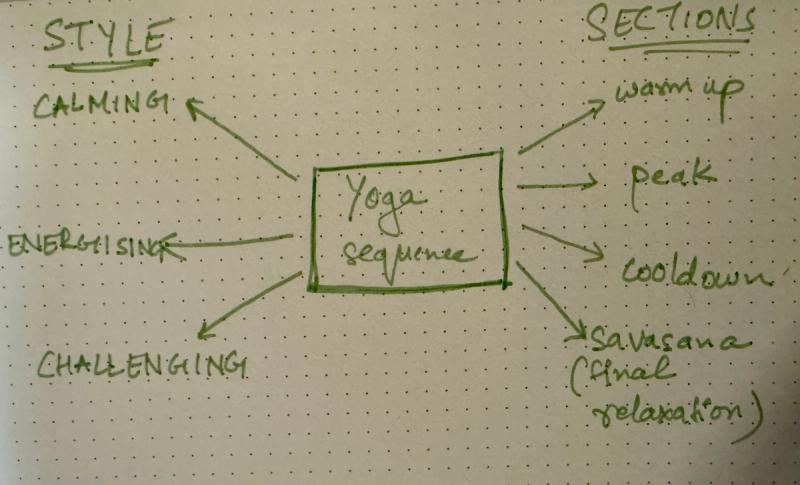
My app supports distinct yoga styles — calming, energizing, and challenging — and each class moves through recognizable phases: warm-up, peak, cooldown, and savasana. These aren’t interchangeable. A calming warm-up needs something entirely different from a challenging peak. A savasana track for an energizing class still needs to land softly, but it should feel like it belongs to that session’s arc.
When I mapped this out, I was essentially building a grid — style on one axis, flow section on the other. Each cell in that grid required its own track with its own sonic character. Suddenly, “I need some yoga music” became a defined creative brief with 30+ distinct outputs.
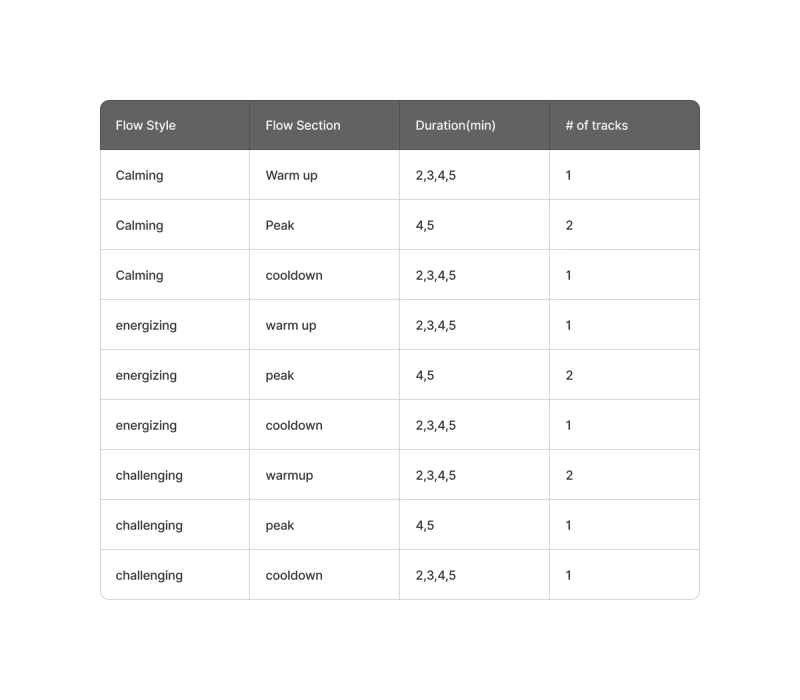
This framing — turning a fuzzy requirement into a structured matrix — made everything that followed more tractable. It’s a habit I’d recommend to anyone using generative AI for content production: scope before you generate.
From Matrix to Prompts
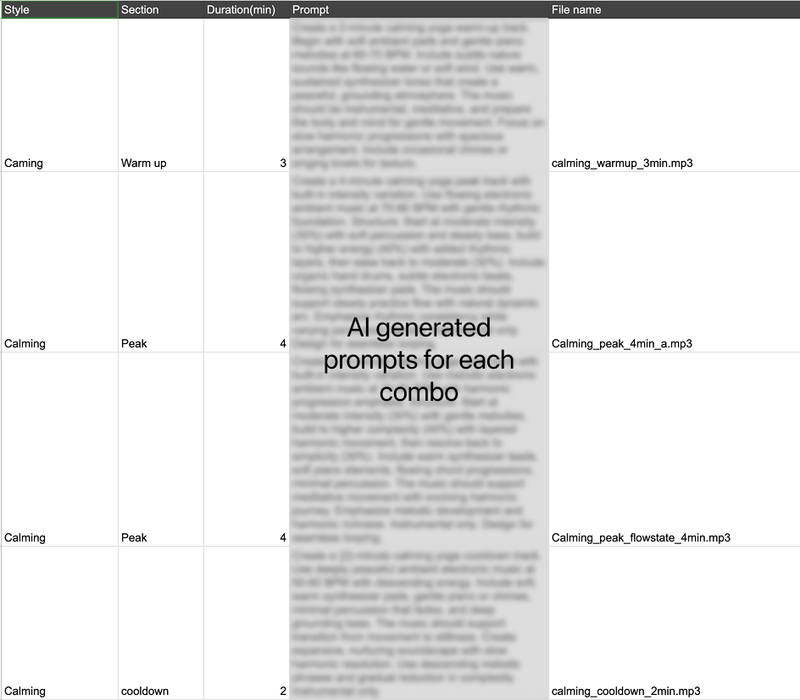
Before opening any music generation tool, I used Claude to translate each cell of the matrix into a detailed prompt.
This wasn't "write me a music description." I brought my experience from years of yoga classes—what a challenging peak section actually feels like in the body, what instrumentation creates forward momentum versus grounded stillness—and worked with Claude to build prompts specific enough for an AI model to act on.
A good music generation prompt needs several elements working together:
- BPM range — tempo sets the energy floor
- Emotional arc — where intensity peaks and resolves
- Instrumentation guidance — which sounds carry the energy
- Structural markers — when to build, when to ease
The prompts that worked read like a director's brief for a film score: not just "energizing" but how the energy moves, when it peaks, and what it should feel like at every stage.
Example prompt (Energizing 4 min)
“Create a 4-minute energizing yoga peak track with built-in intensity variation. Use driving electronic music at 85-95 BPM with strong rhythmic emphasis. Structure: Start at moderate intensity (40%) with steady beat, build to high energy (60%) with layered percussion and driving kick drums, then ease to moderate (40%). Include powerful electronic drums, syncopated patterns, rhythmic bass lines, bright synthesizer support. The music should motivate strong practice with dynamic rhythmic journey. Emphasize beat-driven energy and percussive excitement. Instrumental only. Design for seamless looping.”
Layered Tools, Not One Magic Solution
Claude generated prompts across the full matrix. But prompts are hypotheses—they need testing.
I used Google's Gemini as a refinement layer. Its music generation was free at the time, which made it ideal for low-cost iteration. I'd run a prompt, listen to the output, identify the gap between intention and result, then sharpen the language.
For instance, an "challenging peak" prompt produced something that was quiet noisy with different instruments. The refinement: adding "earthy/acoustic—not electronic/synthesizer" " and adding more “downtempo” likesmall specificity changes that only became obvious after hearing the first attempt.
Once prompts were validated, I moved to ElevenLabs for final production. The quality difference was significant—and so was the cost.

This is tool chain architecture: use free/cheap tools for exploration, reserve premium tools for execution. The same pattern applies to image generation, code prototyping, or any multi-tool AI workflow.
The Credit Problem (and How I Got Around It)
ElevenLabs is, in my view, the best audio generation tool available right now. The quality of its music output is noticeably better than anything else I tested. But that quality comes at a cost — literally.
Music generation consumes roughly 1,500–1,800 credits per minute of audio. On a Starter subscription, you get around 30,000 credits a month. That sounds like a lot until you realize that each generation defaults to producing two variations — meaning a single 2-minute experiment can consume 6,000+ credits before you’ve decided whether you even like the direction. (I realized that later and changed the default variation setting)
With around 30 tracks to produce, I couldn’t afford to treat generation as exploration. I had to get specific.
My workaround: work in sections, not full tracks.
ElevenLabs structures its audio output in sections. Instead of generating a complete 2-minute piece, I’d start with a 30-second clip. If I liked the direction, I could expand each section individually rather than regenerating from scratch. I could also add a new section — say, a mellow section mid-flow, or a fade toward stillness — and only pay for that section’s credits. It’s slower and more deliberate, but it preserved budget and gave me more granular control over how each track moved.
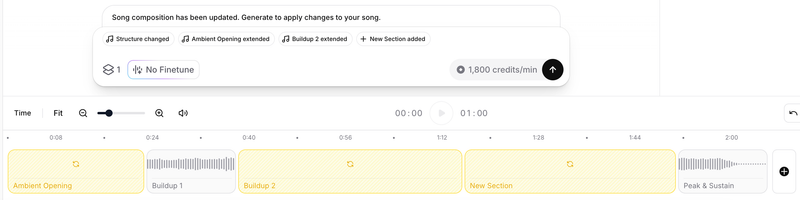
The mindset shift this required: treat each generation as a commitment, not a draft. Go in with a clear vision, or don’t go in at all.
This is constraint-driven prioritization. The budget limitation forced me to:
- Validate direction cheaply — 30-second clips as proof of concept
- Commit before expanding — no speculative full-length generations
- Edit surgically — fix specific sections rather than regenerating entirely
By generating in 30-second clips and then extending what worked, I reduced the cost of failure.
When Experimentation Isn’t Enough
There was a point where I had to accept that no amount of creative credit management was going to get me to full-length tracks on a Starter plan. Producing 4–5 minute pieces across 20+style-and-section combinations required more runway than I had.
Once the direction was validated through low-cost prototyping, I increased the budget for final production and upgraded to the Creator subscription. The constraints of the lower tier had forced me to sharpen my prompts, validate my direction, and eliminate weak ideas cheaply. The credit spend became intentional rather than exploratory.
It’s a pattern worth naming: use constraints to build conviction, then invest once you have it.
What Made the Difference
The space is moving fast. Suno is reportedly strong. Every major AI lab is paying attention to audio. The specific tools will change.
But a few things I expect to remain true regardless of which platform you use:
Domain knowledge is a prompt multiplier. My years of attending yoga classes directly shaped the quality of my prompts. Understanding why certain music works in certain moments — not just what it sounds like — made the difference between generic output and something that actually served the practice.
Structure before you generate. Map your requirements into a matrix or brief before you open any tool. I used same strategy for image generation for my app. It forces clarity and prevents you from generating in circles.
Understand the credit model before you start. Know what each action costs. Generate short clips first. Use sectional editing. Check default settings before you generate.
Layer your tools. Use free or cheaper tools for iteration and refinement. Reserve your higher-quality, higher-cost tools for final production.
Let constraints shape your process. Budget limitations forced me to be more deliberate — and the final tracks are better for it.
Building the audio library for this app taught me something that extended beyond music: the best use of generative AI isn’t to remove craft from the process. It’s to shift where the craft lives. In this case, it moved from the instruments to the prompts — and the quality of those prompts depended entirely on the knowledge I brought to them.
AI gave me the capability. 15+ years of experience provided the taste and judgment to make it work.